
Tablets
Boox has released second generation of their 10.3-inch Go series e-Ink tablets that appear intended to compete with the Remarkable 2. There are two versions of this generation, a $400 without a front light and a $450 model with a front light. A major negative, in my opinion, is that Boox has replaced the Wacom EMR stylus support with their InkSense capacitive stylus is that is less accurate and requires charging. I would not buy this tablet due to this choice by Boox.
I would wish that Boox would release an 8-inch e-Ink tablet with Wacom EMR support but that appears to be less likely to happen as time passes.
I am watching a video overview of Inkwell, which is Manton’s RSS app released last week. I’ve tried using Inkwell but find it doesn’t fit in to my web reading triage workflow. I send everything to Readwise Reader where I do all my reading, so the blogging and quote blogging of Inkwell would be more useful for me in Readwise. One thing that I am intrigued by is the Reading Recap feature in Fading, but I don’t know whether I would really use that feature a lot or not.
The 2026 iPad Air M4: Early Impressions:
The second change is memory. The M4 brings 12GB of unified memory, up from 8GB on the M3 model. More RAM means better multitasking and more headroom for demanding tasks. Transcription in Voice Memos and background removal in Pixelmator happen almost instantly. I feel it in Lightroom as well.
My primary concern about the MacBook Neo is that I don’t think the 8 GB of RAM is enough in the current AI era of personal computing. While the quote above is about the new iPad Air, I think the point about the benefit of moving from 8 GB to 12 GB is apt.
Later in his post Om also ponders whether the Neo is a better value than the Air given it includes a keyboard. I do wonder whether Neo will affect iPad sales.
My Thoughts About Android Desktop
I watched XDA’s presentation of the Android desktop mode available in the Android 17 beta. Desktop mode is available with Android 16 too and I’ve tried it out and it’s not bad. I’ve long been intrigued by the idea of using a smartphone as my only computing device, and I honestly think this is best applied to foldables.
As I see it, the main impediment to such an all-in-one device is the lack of wireless connectivity to monitors, keyboards and mice. Imagine being able to use the desktop mode of your phone while the phone is still in your pocket.
It does appear that while desktop mode is available with all Android devices, it’s primary purpose is as a replacement to Chrome OS. For Google, Android desktop mode is a consolidation of operating systems. Google seems convinced that it’s worth it for them to offer a desktop computing user interface for their operating system, even though Chrome OS only has a small percentage of the desktop market, per Wikipedia.
I am not convinced that Android Desktop offers anything for the desktop market, and rumors are Apple may be soon announcing a low cost Macbook built on their A-series processors that will be hard to compete against.
The one scenario I can think of that might be interesting is Google pitching the idea of the Pixel Fold being the computing device that is all one will need, and therefore try to justify the greater than $1,000 price tag for the Fold. The math works when compared to the sum cost of a phone, tablet and desktop if the device fits all these use cases. However, I think for this to work there must be wireless connectivity to keyboard, video, and mouse or at the very least an easy to use drop-in docking station.
In this video on YouTube, Kitt Betts-Masters shows the technology behind Wacom’s EMR pens. I currently primarily use felt nibs in the EMR pens I use with my Viwoods AI Paper Mini and Boox Note Air 3C, but I am curious about how the ceramic nibs feel. My concern has been with the effect of using ceramic nibs, even the ones provided by Viwoods, on the life of the screen.
As I imagined it would be.
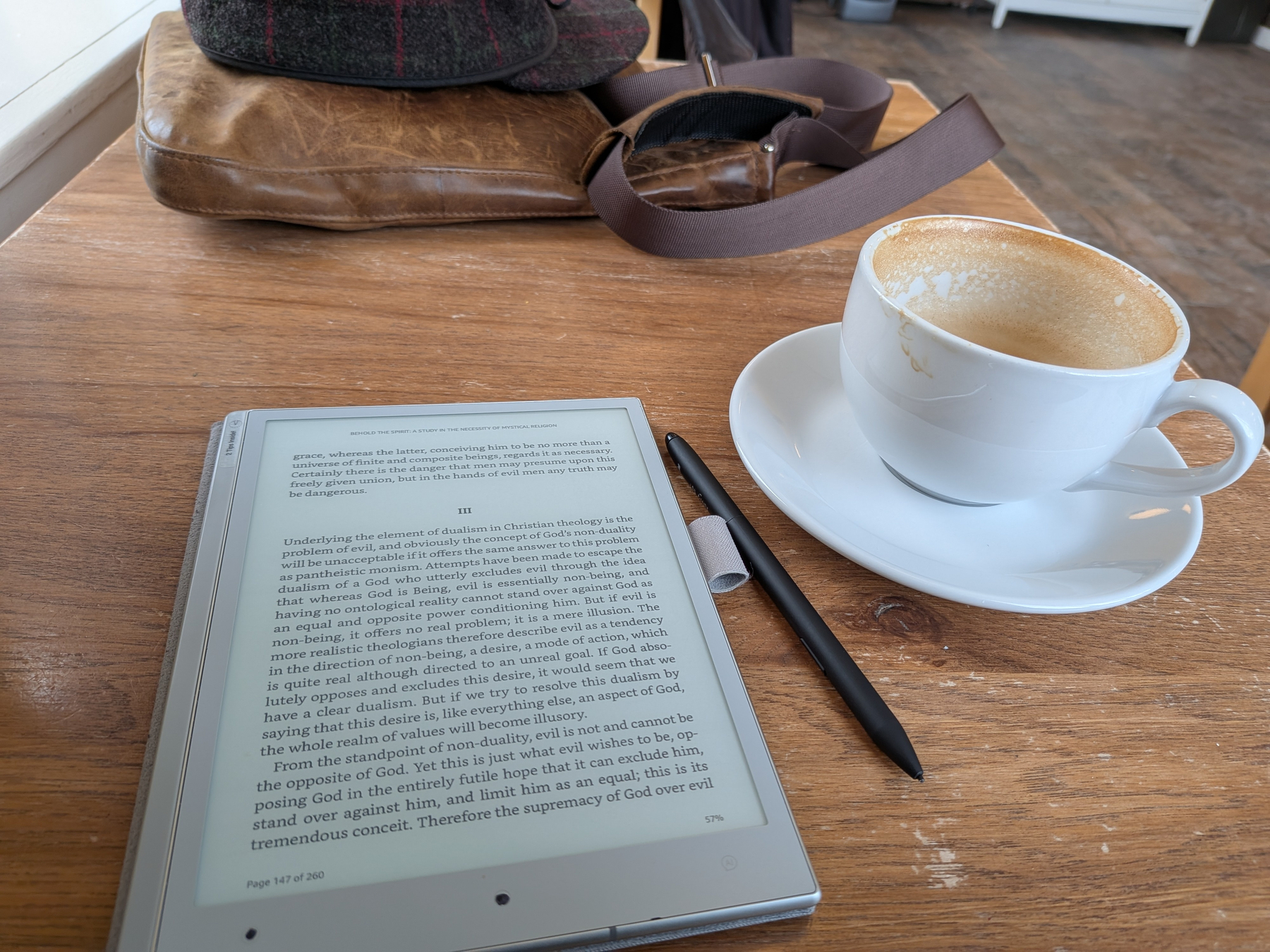
I personally use tablet computers and generally promote their use. During the last couple of years I have mostly used e-Ink tablets because of their emphasis on reading and writing, which are my primary use cases. I find that writing things down by hand helps me to remember and to focus on a given topic. Vojislav Dimigtrijevc has produced a video on YouTube that provides a wonderful overview of how e-Ink tablets combine analog and digital processes, and because of that I think the video is a wonderful explainer of benefits of these type of tablets.
In 2010 I wrote this in reaction to the first iPad announcement. It really didn’t age well.
For myself, I am waiting to learn more about the HP Slate, which HP and Microsoft announced at CES. From what I can tell, it will run Windows 7 that supports touch input, however, what I really want is a slate that supports both touch and stylus (digitizer) input because I want to write notes in digital ink and store them in Evernote.
Using Obsidian With Viwoods AI Paper Mini
Ever since I got the Viwoods AI Paper Mini I have been developing processes for using it with Obsidian, which I use for my second brain. At present I have Obsidian installed on the tablet but I do not use it for writing on the tablet. I do have Obsidian Sync running on the tablet but not syncing all of my oldest notes imported from Evernote.
Have three Papers (notebooks) that I am exporting from the tablet in to Obsidian and I am doing this in two ways. I am using a Viwoods Sync Obsidian plugin, which is currently in development, to import PNG images of the notebook pages in to Obsidian which I can then view and link to from other Obsidian notes. The plugin uses the Viwoods native .note file as input, creates PNG image files of the pages, and then creates an Obsidian note (markdown) page with the image embedded.
For the second export method I am using the AI Text Conversion function of the Viwoods Papers app to create ASCII text of my handwriting. The AI feature uses the Gemini Pro Version 3 model and I manually select one more more pages for conversion. I find the Gemini Pro does the best job of converting my handwriting. I copy the result to the clipboard, switch to Obsidian on the tablet, open the note in which I am storing the text version of the notebook and paste the text in. After the updated note syncs to my desktop computer I then edit what I pasted to correct what is usually a small number of errors.
Finally, in the correct areas of the text version of the note I insert links to the image file, created by the Viwoods Sync plugin, that is the source of the text. I can then open image side-by-side with the text with a right-click of the link and Split Pane right.
In feedback I provided to the developers of the Viwoods Sync plugin I asked if they could do OCR of the notes as part of the sync process, which they suggest might be a feature they add in the future. The issue for that part of the plugin might be the quality of the handwriting recognition.
Productively Retired
I am less than a month in to my retirement and I am still feeling my way around. One thing I am noticing about myself are changes in some of my interests online. Over the years, like many people in tech, I have had an interest in productivity apps, particularly ones built around processes like Getting Things Done or PARA. Inevitably that leads me to installing an app or two and checking them out. Over the years I have tried so many todo apps!
Now that I am retired I think that my definition of productivity is not consistent with how most people on the Internet define it. Right now I am thinking retirement is less about getting things done and more about the best ways to spend my time, and none of the apps I’ve seen has this focus.
E-ink Tablet Lock-in
In a YouTube video the developer of My Deep Guide, which is a robust PDF organizer template for e-ink devices, talked about the issue of e-ink device lock-in. The issue is that when you use a brand of device, say Remarkable or Boox, there is not a way to move your data from one device brand to another. The only file formats common to all device types are PDF and ePub but that does not provide for extraction of the information within those file types.
The problem is not just with moving from one vendor to another, but affects searching for one’s writing, which requires some form of indexing of the handwritten data such that a search can be run. I touch on this issue in my recent post in which I describe using Google NotebookLM to search for what I write on my Viwoods AIPaper Mini tablet.
As I understand it, what one writes on the Viwoods tablet is translated to vector graphics data that is stored in a file on the device. Viwoods, like Boox, uses a “.note” extension for these file names and those files even sync to my Google Drive. The problem is, there is no application provided by Viwoods to read those files and thus provide a way to search within the files.
The problem here is very similar to about 40 years ago when word processors like Microsoft Word and WordPerfect were developed and used proprietary file formats. Back then the only way to view and thus search within your writing was to open the files in their original application, you couldn’t read Word files in WordPerfect or vice versa. Years later this issue became moot as application vendors reverse engineered the file formats so that files could be moved between word processor brands. Many people vow to avoid any possible word processor vendor lock in by only storing their writing in plain text that may use markdown for formatting.
I think the ideal for tablets would be a standard data file format for handwritten notes that either the tablet providers used natively or at the very least provided for exporting. PDF exports are the equivalent to printing a document and saving that hardcopy as an archive/backup, it provides a bare minimum but quickly becomes unwieldy as the number of documents and pages within them increase. We really need fully searchable formats to allow us to retrieve information from our writing.
Use Google Drive And NotebookLM With Viwoods AIPaper Mini
I recently started using the Viwoods AIPaper Mini, which is an e-ink tablet with an 8-inch black and white display that is optimized for reading and writing. The reason I bought this device is that I wanted a smaller and more portable tablet for reading and writing than the Boox Note Air 3C I have been using.
The AIPaper Mini, like most e-ink tablets, is designed to provide the ability to write notes by hand in a manner that feels like writing on paper. The handwritten input is usually stored as vector graphics data in a format known to the software on the tablet. Unfortunately there isn’t a standard file format for this data and Viwoods does not provide a way to read those files, which have a .note extension, via a desktop or web application. Fortunately, Viwoods does generate PDFs of notes that reproduces the handwriting as seen on the device display, so exporting or syncing of the generated PDF files is primary means for archiving and retrieving information captured using the device.