
Essays
Military Not Law Enforcement
The killing of Renee Nicole Good by that ICE agent is bad enough, but the words of people in government, particularly J.D. Vance is what I am most troubled by.
Law Enforcement in the United States is vested by the state with the ability to take a life. The social contract between citizens and the state in this matter is that Law Enforcement is held to high standard.
What Is The Purpose Law?
Police in the United States have a blank check to kill because people in power have convinced citizens that if an officer feels threatened there is no consequences for their actions. Feelings cannot be proven or disproven so the result is immunity. The combination of fast, mass hiring of officers to fill law enforcement positions with a likely low threshold of evaluation on the hiring, is a threat to all citizens in the United States.
A government for the people must treat the use of lethal force against citizens with the utmost care. Any person given a gun, bullets, a badge, and the blank check to kill citizens must be throughly vetted.
Why should it be acceptable that disobedience of an officer’s orders be grounds for killing?
Further, why if you are telling a person in a car to move, does one stand in front of that car to “block it?”
Is shoot first ask questions later by officers justice? Or is this really a show of force to create a state of fear? And if the answers are yes, then how is the United States different from any of the “socialist” or “communist” or “dictatorships” of any other country in our past or current times? Isn’t shoot first ask questions later how the military works? While ICE may be organizationally apart from the military, I think their actions are of the military and should be treated accordingly.
You may think you are creating order through enforcement of law, but that is not justice and it is certainly not freedom. What we have right now in the United States is a standing army on U.S. soil killing citizens.
Who Can Be Accountable?
I think most people trying to interpret Trumps actions in Venezuela are making a mistake of doing so through a lens of what is thought to be normal, or how or why things were done in the past.
The same formula seems to be repeated: “Trump claims the reason why he did this is because X but here is an instance of Y that is completely opposite of X.” The implication is, Trump’s claim cannot be true because it’s inconsistent. I think the real problem is paying any attention to any claim made by Trump.
Everything that Trump does appears to be in the moment, his actions are mostly emotional and whoever has access to him last greatly influences what he does. In my opinion the real root problem is that Trump believes he can do whatever he wants and doesn’t need to convince anyone, neither Congress, the Supreme Court, nor citizens, that what he is doing is good or right or just. Sure, he very much wants us all to like him, but in the end nothing matters, the only thing that matters to Trump is what is in his head at any given moment.
I think we need to spend much less time on Trump and much more time on his enablers. Why is all this happening? It’s happening because the Supreme Court ruled Trump is above the law and made him king and the majority in Congress is only there for the LOLs and not there do their job, and a wealthy class of people willing to pay and participate in tearing it all down for the sake of keeping what they imagine to be their wonderful life.
The response to every action Trump takes should be a push to remove any enabler and make them accountable. All this has to start with us not reacting to anything Trump does from what we think to be normal. Making claims that what he did is illegal does not matter because there is no accountability of him. Pointing out Trump’s hypocrisy does not matter. Nothing you can do or say about Trump matters. What does matter is how we view and consider those people who enable him now and work to replace them.
For Most, Christianity Is A Religion
The problem of Christianity is that like an onion, there are many layers of understanding about it. What started as an adjective associating the way people lived to who they followed became an institution, a religion, a church, and a set of beliefs some equate to being faith.
The Christianity known to perhaps 90% of the world is a religion and the institution founded by the Roman emperor Constantine. A hallmark of religions and institutions is that one can be kicked out of them.
If you have spent any time studying what Jesus taught, does it make sense to you that he would create something from which you could be kicked out from?
Religion is a necessity for and a product of man’s ego, in fact it may be one of the most dangerous things ever created by man. It is often used by Powers and Principalities to control people and to gain wealth.
I think the most enlightened part of the founding of the United States was the recognition through experience by the founders of just how religion is used by people in power, and attempted to wall off the threat of religion in the first amendment to the U.S. Constitution.
The first amendment does not just exist to protect religions from the government but also, and I think most importantly, to protect us from the government using religion to take away liberty.
The Clicks Communicator
I noticed some entries in my RSS feeds this morning making reference to the Blackberry, and I suspect they were in reference to the Clicks Communicator, a new Android-based phone to launch later this year. This is from the company that has been selling a physical keyboard case for the iPhone. The Clicks Communicator has a built-in physical keyboard, hence the reference to Blackberry.
The device software is built on Android 16 with a customized launcher that is optimized for communications. What it looks to me like is the Android notification shade made front and center to the device. It has hardware buttons to initiate voice to text input, if one prefers and has an LED around the primary button that will flash different colors one configures for different notifications. The color LED reminds me of the roller ball of the first Android phone, the T-Mobile G1.
The negatives start with the price, while one can reserve one now for a $399 total price by paying $199 to reserve it, the Communicator will retail for $499, which I think is too much for a device being promoted as a second phone. The intro video compares the Communicator to a Kindle as it compares to the iPad, but Kindles cost much less than $499.
Another big miss in my opinion is not providing a removable battery nor Magsafe support, although I imagine this might be something that could be provided via special “cover.” The device includes the things smartphones lost over the years like the physical buttons, storage card slots, and 3.5mm audio adapter, so why not go all the way and provide removable batteries?
The Clicks Communicator is going to be a niche device, it’s not going to take over the smartphone leaders. I got to think that $499 starting price will have to come down to the $300 to $400 range to justify the purchase as an “accessory” to an every day carry smartphone. The question then is, will enough sell for the device to last long enough for the price to come down? The answer depends on whether there is truly a demand for this type of device.
At The Start Of 2026
Mother Nature set the scene today by providing freshly fallen snow, sunshine, and frigid temperatures, which I take as a sign for a fresh start. Today is not only the start of a new year, but for me it is the start of the fifth chapter of my life, now as a retiree. My most specific plan for now is to savor more of life, to take it in fully and continue to learn and grow.
I have long followed people who seem to be able to spend most of their time on whatever they find to be most fulfilling in the moment and dreamed of that for myself. My intentions for this year are to read more, to write more, to listen to more music, to spend more time with people I love, and to be grateful for every minute.
Year in books for 2025
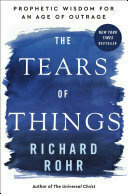
Here are the books I finished reading in 2025. I fell short of my goal to read 20 books this year, and I am committed to meeting and exceeding that goal in 2026.










Testing Android Desktop Mode
I enabled the Android Desktop Mode on the Pixel 10 then connected the phone to my BenQ Monitor via the USB-C port, selected the Desktop Experience as the option in the notification that appeared on the phone and behold this desktop. To complete the picture I paired the Logitech MX Keys keyboard and mouse to the phone using Bluetooth so that I can fully use the desktop experience. I am typing this right now in Google Keep and then I will copy and paste this into the micro.blog app to post to my blog.
All of the Android apps installed on the phone are available for use in desktop mode. Google apps like Gmail and Keep are working in tablet landscape mode with dual panes. Tabs that I had open in Chrome are retained in the desktop mode.
It looks like apps start in a default sized window.. When I start the Calculator the app window size is way too large. I can resize the window to something more reasonable but when I shutdown the app and restart it starts back at the larger size. When I run Radarscope the resolution of the radar is too low and doesn’t change even when the window is made smaller. Obviously, these are instances where the apps are not developed for a large display.
YouTube video playback is good but the audio playback is on the phone speakers and not the monitor. I think the USB-C connection should be able to support audio.
The final test was to enable the Linux Terminal mode which then on the first run downloaded the virtual machine which takes up a little over 600 Mb. The font size is too small for me to read but I found instructions at the following web page to increase it and the font family to make it easier to read. The main benefit to me for having this Linux terminal would be to SSH into a Linux server running on my home network, and for that task this worked perfectly.
Beginnings And Endings
As I wind down my 36 year career in information technology I feel that I am in a nostalgic loop, which is probably inevitable particularly when I am closing down my career 37 years to the dates when it started. I find myself thinking all the way back to high school and reasons why I decided to go to Michigan Technological University (MTU) for a degree in Computer Science.
In the early 80s computer science was just becoming a thing, in fact Computer Science was a part of the Mathematics department at MTU and not the separate college that it is today. If when I was starting college I was asked what it was that I was studying to become I would have answered “a programmer.” Of course, over the course of my five years at MTU I learned Computer Science was more than programming, but that was still its core competency.
I think nearly everyone who I may have told I was going to be a programmer would have had an appreciation for my career choice because while they may not have understood exactly what that meant they likely knew that computers were the “hot thing” and programming was done on computers.
The irony is, of my 36 year career programming turned out to be the least of what I did, what programming I did was done during the first three years and then fate moved me on to more broader topics like the SEI Capability Maturity Model and technology architecture. Turns out my learning to program a computer was merely a foot in the door.
It's Not AI That I Fear
It’s people. I think there are similarities in how people make claims about guns in the United States and the claims about AI.
More often than not whenever you encounter a person who opposes any form of restrictions on access to or use of guns they tend to make the claim that “guns don’t kill people,” which is obviously true. Guns are inanimate objects, they don’t just on their own fire and kill. The real problem are the people who have access to guns and what they do with them. In reality, all gun regulation laws apply to people, what they can access, how qualified to use them, etc.
Most promoters of AI go to great lengths to try and persuade us that there is nothing to fear about AI. My response when I hear this is that I don’t fear AI, I fear the people behind AI and I fear the people who will use AI. My fear is driven by the reality that greed drives everything in the United States, if not the world.
Giving greedy people access to AI is equivalent to giving a person who has nothing but contempt for others or does not have hope or can’t control their emotions and wants to go out in a blaze of glory access to guns.
The lengths to which I see people in power in the United States are going to try and convince me there is nothing to fear about AI does nothing more than increase my skepticism and fear. You have not earned my trust and you cannot earn my trust until you demonstrate the maturity of self restraint.