Tech
More Experimentation With Android Desktop
I have paired the Nillkin folding Bluetooth keyboard to my Pixel 10, connected the phone to the BenQ monitor and enabled Android Desktop mode, thus providing me a desktop computing device. The keyboard has a built in trackpad to enable me to move the mouse on the desktop and I have figured out how to run multiple (virtual) desktops at the same time. I have ordered a portable, 15-inch monitor that I have been meaning to buy for some time as a backup display and to experiment further with this idea of really portable computing. For blogging, I am writing this in Obsidian running on the phone and I will post this item to the blog later from my MacBook.
I think the whole idea of the MacBook Neo comes down to one question, is $599 a low price?
It occurs to me, that the MacBook Neo is essentially the often desired iPad that runs MacOS.
What Is Low Cost?
My Thoughts About Android Desktop
I watched XDA’s presentation of the Android desktop mode available in the Android 17 beta. Desktop mode is available with Android 16 too and I’ve tried it out and it’s not bad. I’ve long been intrigued by the idea of using a smartphone as my only computing device, and I honestly think this is best applied to foldables.
As I see it, the main impediment to such an all-in-one device is the lack of wireless connectivity to monitors, keyboards and mice. Imagine being able to use the desktop mode of your phone while the phone is still in your pocket.
It does appear that while desktop mode is available with all Android devices, it’s primary purpose is as a replacement to Chrome OS. For Google, Android desktop mode is a consolidation of operating systems. Google seems convinced that it’s worth it for them to offer a desktop computing user interface for their operating system, even though Chrome OS only has a small percentage of the desktop market, per Wikipedia.
I am not convinced that Android Desktop offers anything for the desktop market, and rumors are Apple may be soon announcing a low cost Macbook built on their A-series processors that will be hard to compete against.
The one scenario I can think of that might be interesting is Google pitching the idea of the Pixel Fold being the computing device that is all one will need, and therefore try to justify the greater than $1,000 price tag for the Fold. The math works when compared to the sum cost of a phone, tablet and desktop if the device fits all these use cases. However, I think for this to work there must be wireless connectivity to keyboard, video, and mouse or at the very least an easy to use drop-in docking station.
Two Way RSS
Yesterday I wrote a draft post about RSS Feeds and I wrote this:
A lot of pixels are being dedicated to writing about Really Simple Syndication (RSS) feeds, which I think of as a “broadcast medium” for text and files.
The cycle of yearly new phones from Apple and Google are not about significant changes between one year to the next. I don’t think Google expects Pixel 9a users to want to replace the phone they bought last year with the Pixel 10a this year, therefore it makes sense that the Pixel 10a has incremental improvements. I really don’t know why the reviews of these phones focus on the small number of changes from one phone to the next. It makes more sense, in my opinion, to compare the upcoming Pixel 10a to the Pixel 8a and 7a. My guess is that the improvements from the 7am, or older, is the most compelling reason to by a Pixel 10a.
In this video on YouTube, Kitt Betts-Masters shows the technology behind Wacom’s EMR pens. I currently primarily use felt nibs in the EMR pens I use with my Viwoods AI Paper Mini and Boox Note Air 3C, but I am curious about how the ceramic nibs feel. My concern has been with the effect of using ceramic nibs, even the ones provided by Viwoods, on the life of the screen.
I spent the afternoon working on and testing Scott Hanson’s dockerized version of Feedland. I’ve written notes but I don’t have the time now to edit and post them, which I will do this weekend. The net is that like the other time I installed Feedland in my home lab, I could not get browser access via HTTP to work. The web browser just simply refuses to load the site and displays an SSL error message. The good news is that I did get access to work via my Nginx and duckdns.org configuration in the same manner as I have done with other apps hosted in my home network.
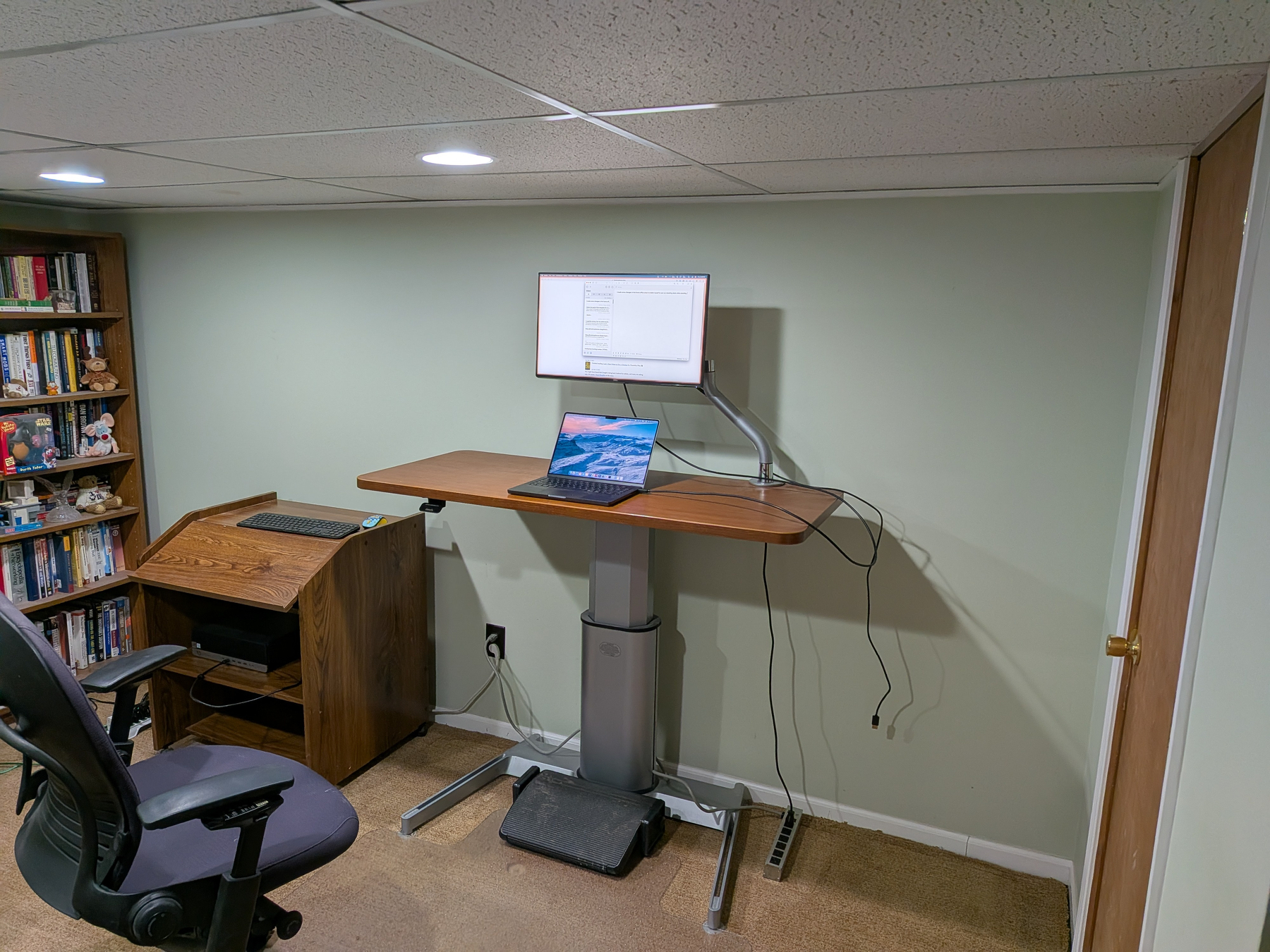
I have moved some equipment around in the home office so that I can use the adjustable/standing desk while standing. This is the first time I have experienced moving my Macbook between external monitor configurations and I am impressed by the fact that it remembers the different configurations.