
Tech
While I like micro.blog’s bookshelf that produces the Reading section of this site, one thing I don’t like is that I don’t have control over the order of the list of books in the Finished Reading page. What I want is a chronological list, but what is produced appears to be random.
I also track my reading in outline (OPML) files using Little Outliner. While I have indivudual pages for 2020 and 2021 today it occurred to me that I might be able to produce a master index using an OPML file with parent nodes that include the other files, which I have done and is now accessibe via http://books.frankm.info.
Here are some notes about how I did the above.
RSS is the main way that I gather what I read online and I have been using it for a couple of decades. Not much has changed in how RSS readers (aggregators) work but today I found something intriguing that I would like to have.
Logitech Signature M650 first impressions: One mouse for all people Nice to see Logitech make a mouse for left handed people, who are usually forced to live in a right handed world.
Today I learned about V for Wikipedia, which is a nice though oddly named iOS app for Wikipedia that on first look reminded of me of V for Vendetta. I think the nearby feature will be useful.
How many static site generators can there be? Seems like thousands! Well, only hundreds.
There have been some changes in a year. How my desk looked last year:
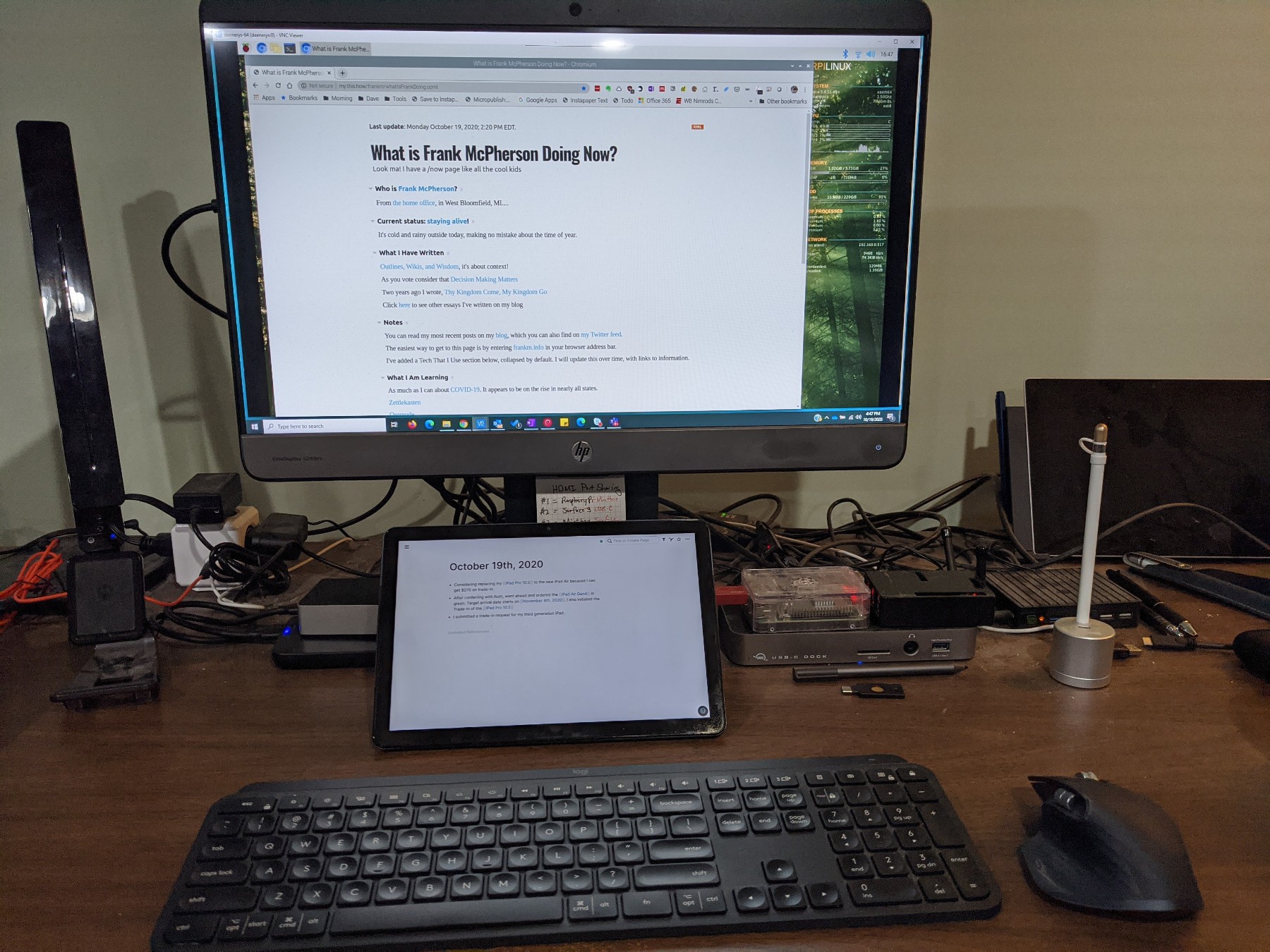
And how my desk looks now:
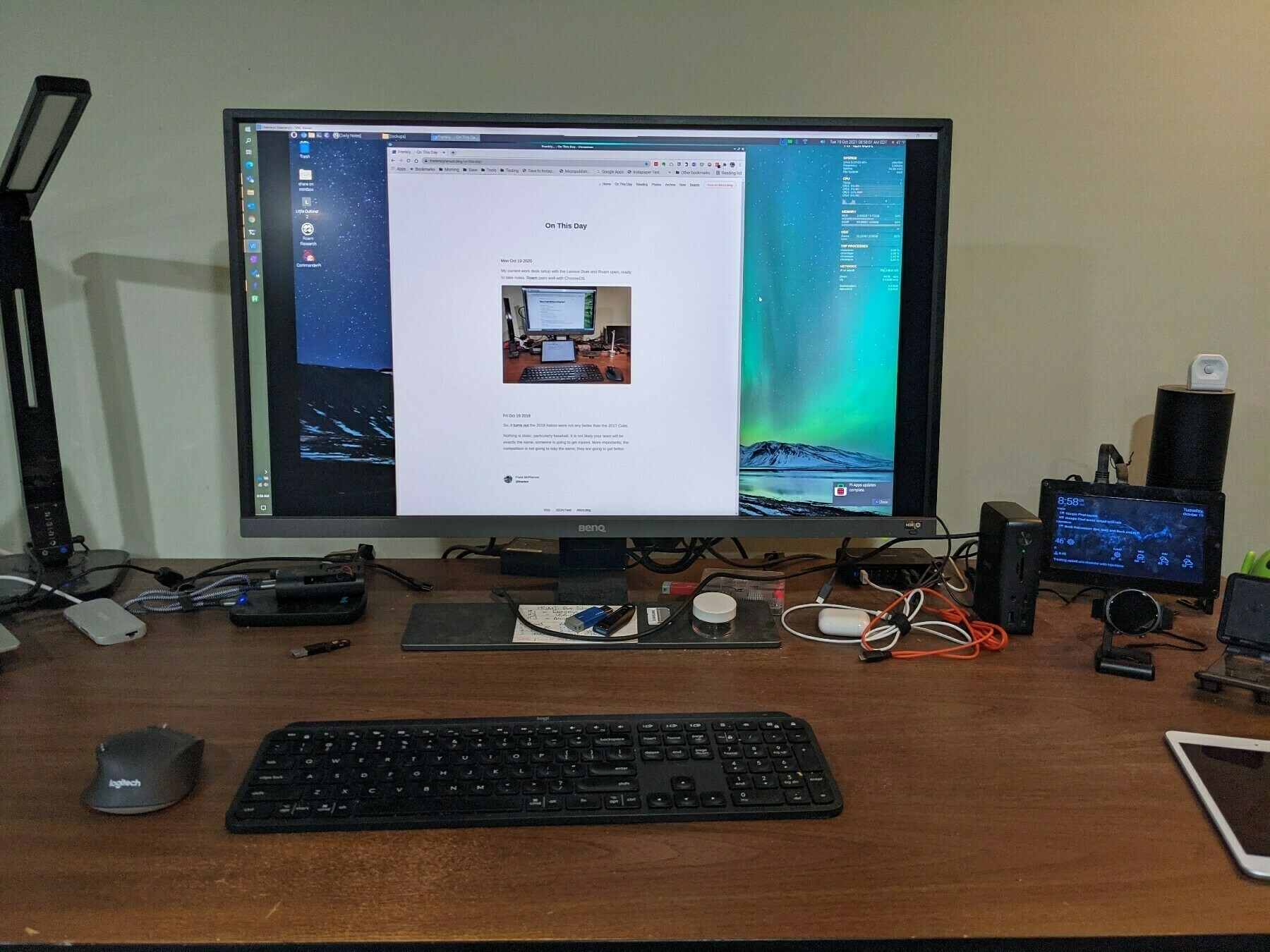
The biggest different, literally, has been the switch to a 32-inch, 4K monitor that I love. I also have a different USB-C dock.
To me Drummer is the next version of Fargo, but that is only relevant to people like me who used Fargo. One enters and manages content in an outline, which has the same UI as Little Outliner. One can use Drummer to create and maintain a blog that is generated (published) based on a OPML file and a CSS, Javascript and HTML template. Hosting of the front end Editor and backed publisher and web content is currently being provided by Dave Winer, who is the application developer.
One can associate a unique URL to the location where the generated blog content is stored using PagePark. In this instance PagePark is basically acting as a reverse proxy, none of your content is stored on your own server.
Dave does provide Mac version of the Drummer front end that is based on Electron. He may provide Windows and Linux versions of the app. The Electron version of the app will enable you to store and edit your source content OPML files on your own computer, but from what I can tell the published content will still be hosted on Dave’s server.
From what I have read, the desktop version of Drummer is intended to be near to or equal to the OPML Editor. For my purposes it is most desirable to have the desktop version of this application.
Final note, a check of the source to the HTML file of the blog shows that nearly all of the “script src” tags have been changed and it looks like if one hosts PagePark on a server/container that supports HTTPS you might have success in accessing the blog via HTTPs.
My Drummer blog is at oldschool.scripting.com/frankm/.
Happy Windows 11 day! I’ve spent the last several days experimenting with the ARM Version of Windows 11 on a Raspberry Pi 4. The installation process is pretty easy thanks to the WoR-Flasher utility, which I used to “burn” an installation image to a SSD. At first I tried installing by simply using USB drive, and while that worked I wondered whether using a SSD would be better. I ended up buying an inexpensive Crucial SSD and a 3.1 USB enclosure, which isn’t going to be as fast a direct PCIe connection, but the combo does time out faster than the thumb drive. One challenge I had was making sure the power adapter of the Pi was providing enough power for the drive, which I resolved once I used the 3.5A USB C power adapter from CanaKit. One constraint is that the Windows 11 build does not work with the Pi 4’s WiFi. I don’t know how long this version of Windows 11 will last, from what I read the update process is not smooth and may require a re-build, which will wipe out a product activation.
During this process I learned about differences between SATA and NVME SSD drives and found a really helpful guide about the Pi 4 bootloader and USB mass storage. I also found a very extensive site of performance benchmarks of mass storage connected to Raspberry Pis.
Found the reason for why the Chrome OS Files app on my Pixelbook was taking so long to load the file system. There were SMB share mappings that became corrupt and basically Files was trying to access those shares but would eventually time out. Unfortunately, the corruption prevented me from removing the shares via the UI and there is no known way to manually remove them, so I had to powerwash the Pixelbook.
Powerwash restores Chromebooks to their factory default state, and because all of the apps and settings for Chromebooks are in the cloud, the restore process is pretty quick, even with Android apps installed. If you do have Linux apps installed, which I do, that does require a traditional backup and restore, but restoring a container such as Chrome OS uses for Linux makes that restore process pretty quick and straightforward.
My personal experience with this process confirms to me why Chromebooks are so popular with schools, the restore process for them is probably the easiest and fastest of any device you can put your hands on.
The Files app in Chrome OS Version 93 on my Google Pixelbook is taking too long to refresh the contents of the file system at first launch. I don’t know for certain, but I suspect this is a bug introduced with Version 93 because I don’t recall this being a problem. I also see this issue in File, Save dialogs in Chrome OS apps.